 Margin
A sidebar web browser for Mac and iPhone, built on WebKit. Spaces, pins, and tabs run down the side and sync between devices through your own iCloud, with no Margin account. The Mac app is a free download, and the iPhone app is in a TestFlight beta.
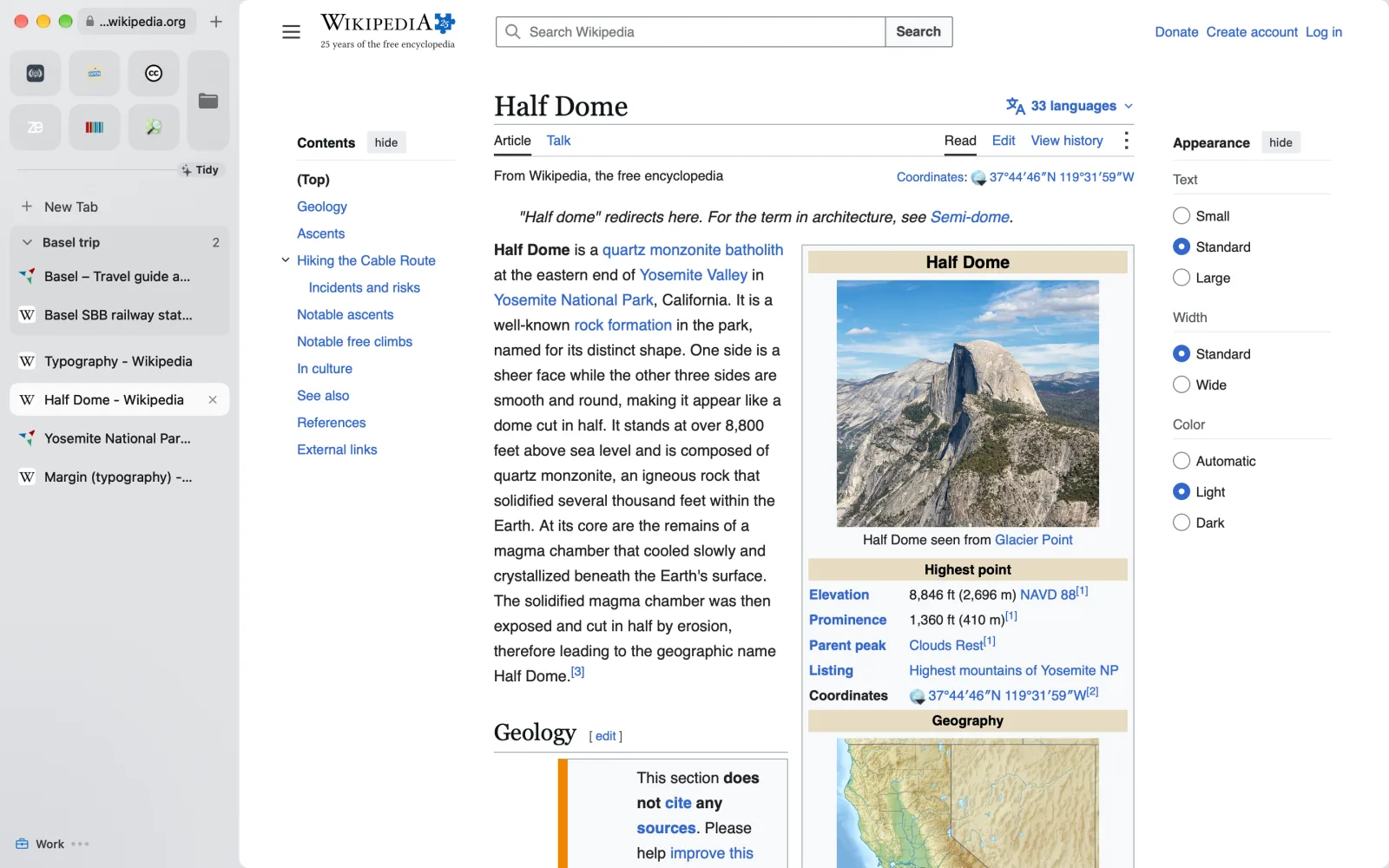
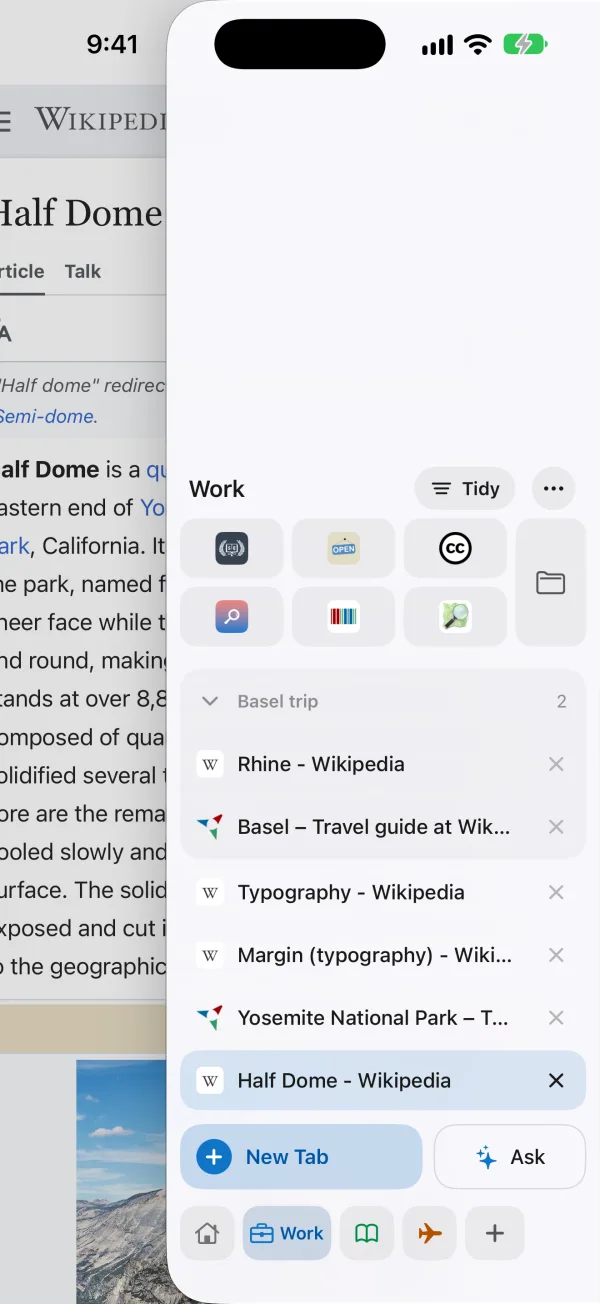
- Mac + iPhone
- the same sidebar on both
- No account
- syncs through your own iCloud
- WebKit
- native app, Safari's engine
- 2,800+
- tests across Mac, iPhone, and sync
A native sidebar browser for Mac and iPhone that syncs through your own iCloud.
Spaces, pins, and tabs down the side, on a Mac and an iPhone.
Margin keeps every open page in the sidebar, sorted into spaces. Pin what you open every day, file the rest into folders, and pick up the same space on the other device a few seconds later.
Import
On a Mac, bring a setup over in one step. From Arc that's spaces with their names, icons, and colours, plus pins, folders, open tabs, and optionally history and sign-ins.
Arc · Chrome · Dia · SafariOrganize
Each space has its own colour, pins, and tabs. Tabs left alone for a day move to the archive, so the sidebar stays short without closing anything.
spaces · pins · foldersSync
Open a tab on the Mac and it's on the iPhone a few seconds later, through the person's own iCloud. There's no Margin account to make.
your iCloud · no accountBrowse
Ads and trackers are stopped before they load, Lite strips one noisy site down, and Ask answers questions about the page on the device.
WebKit · blocking · AskWhat's in the browser.
Spaces with their own pins and tabs.
Work, home, and the trip being planned each get a space with its own colour, pins, and tabs. On a Mac, swipe between spaces or press ⌃1 to ⌃9.
colour · symbol · ⌃1–9No account, no analytics, no Margin server.
History stays on each device. On a Mac each space keeps its own cookies and sign-ins, so a work account stays out of a personal space, and a private window keeps nothing once it closes.
history stays localAds and trackers stop before they load.
A built-in list blocks common ad and tracking networks inside WebKit and folds away the empty boxes. The Mac app refreshes EasyList and EasyPrivacy about once a week, and Lite blocks other sites' scripts, fonts, and trackers for one site.
EasyList · EasyPrivacy · LiteAsk and Tidy, answered on the device.
Ask summarizes a page or answers a question about every tab in a space. Tidy sorts loose tabs into folders, and groups them by site when Apple Intelligence is off.
on-device model · ⌘JSplit view, Peek, and sleeping tabs.
⌘\ puts two pages side by side, links from other apps open in a Peek over the space, and idle tabs sleep to give their memory back. Chrome and Safari extensions install in beta.
⌘\ · extensions in betaThe rules the browser holds to.
- No Margin account, analytics, ads, or server. Sync goes to the person's own iCloud.
- History, cookies, and settings stay on the device they came from.
- Block known ad and tracking networks before they load.
- Ask and Tidy run only when opened.
- Imports never read saved passwords or payment cards.
- Tabs left alone file themselves into the archive instead of piling up.
The Mac download, the iPhone beta, the sync package, and the public site.
The free Mac app from Margin's site. A Developer ID build, notarized and stapled, that checks for updates through Sparkle once you allow it.
public download · macOS 26+The iPhone app, with the same spaces, pins, and tabs in a panel beside the page. It's in a TestFlight beta, linked from Margin's site.
TestFlight beta · iOS 27+The Swift package behind sync. It turns each saved snapshot into iCloud record changes and merges remote changes back, and almost every one of its tests runs without CloudKit.
CKSyncEngine · private iCloud databaseThe download, privacy policy, and support pages. The site sets no cookies and runs no scripts or analytics.
marginbrowser.com