 Roost
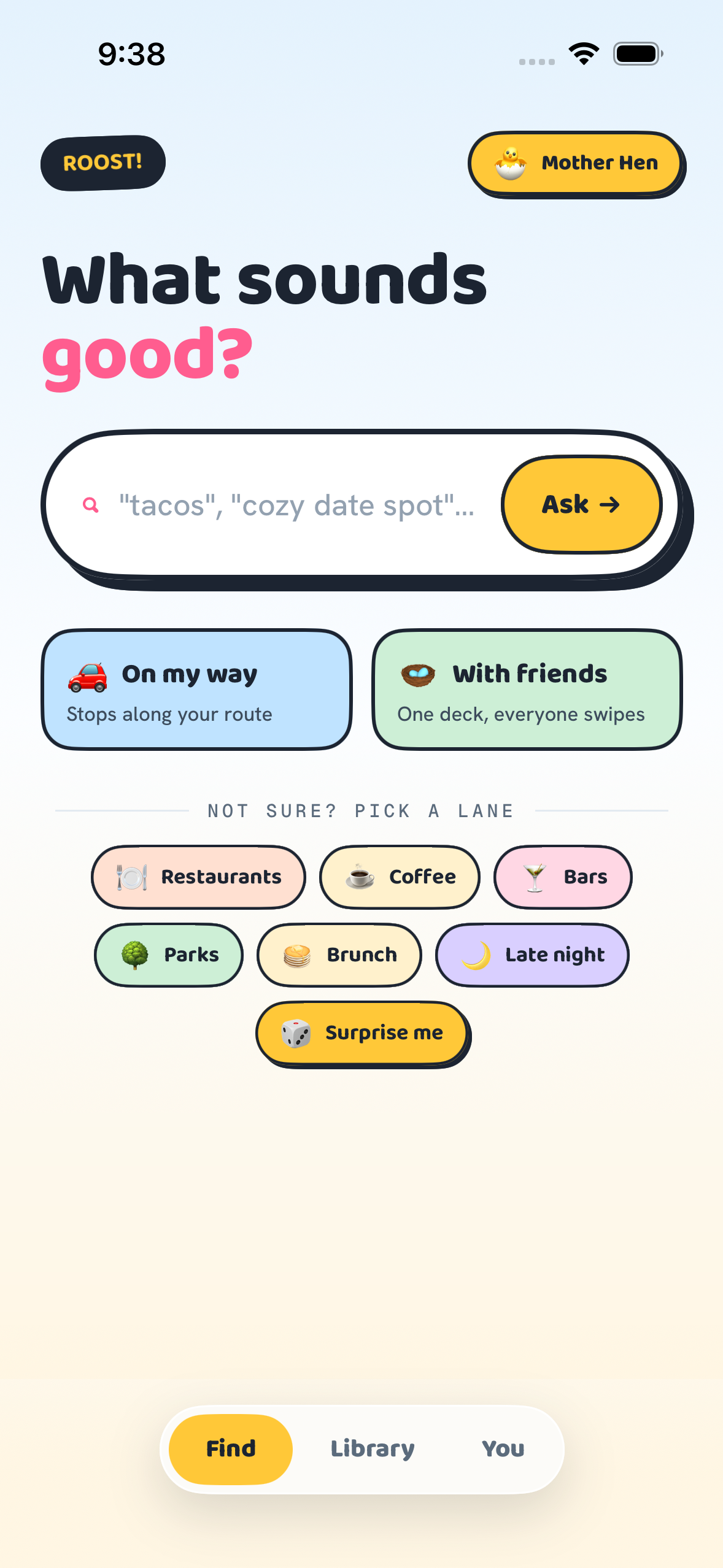
A native iPhone app for deciding where to go tonight, on TestFlight and not yet on the App Store. Describe the vibe or pick a lane, choose how far Roost can roam, then swipe through a ranked deck of real places and land on one pick.
- 10 max
- places in a ranked hand
- Swipe
- keep or pass, one card at a time
- 5
- drive-time ranges, 5 to 40 minutes
- TestFlight
- not yet on the App Store
- Roost+
- optional subscription, 1-week trial
A native iPhone app that turns a night-out ask into a ranked hand and a shortlist.
Deal the night. Keep only the places worth going.
Roost turns an ask into a ranked hand of real places. Each card makes the evidence easy to scan, you swipe to keep or pass, and Roost can choose one of your keepers with a backup.
Ask
Describe the moment in plain language or choose restaurants, coffee, bars, parks, shops, museums, activities, or a surprise lane.
free text · category · distanceDeal
Roost searches the selected radius, ranks the results against the ask and local memory, and deals up to ten places without repeating the current session.
foreground location · ranked handSwipe
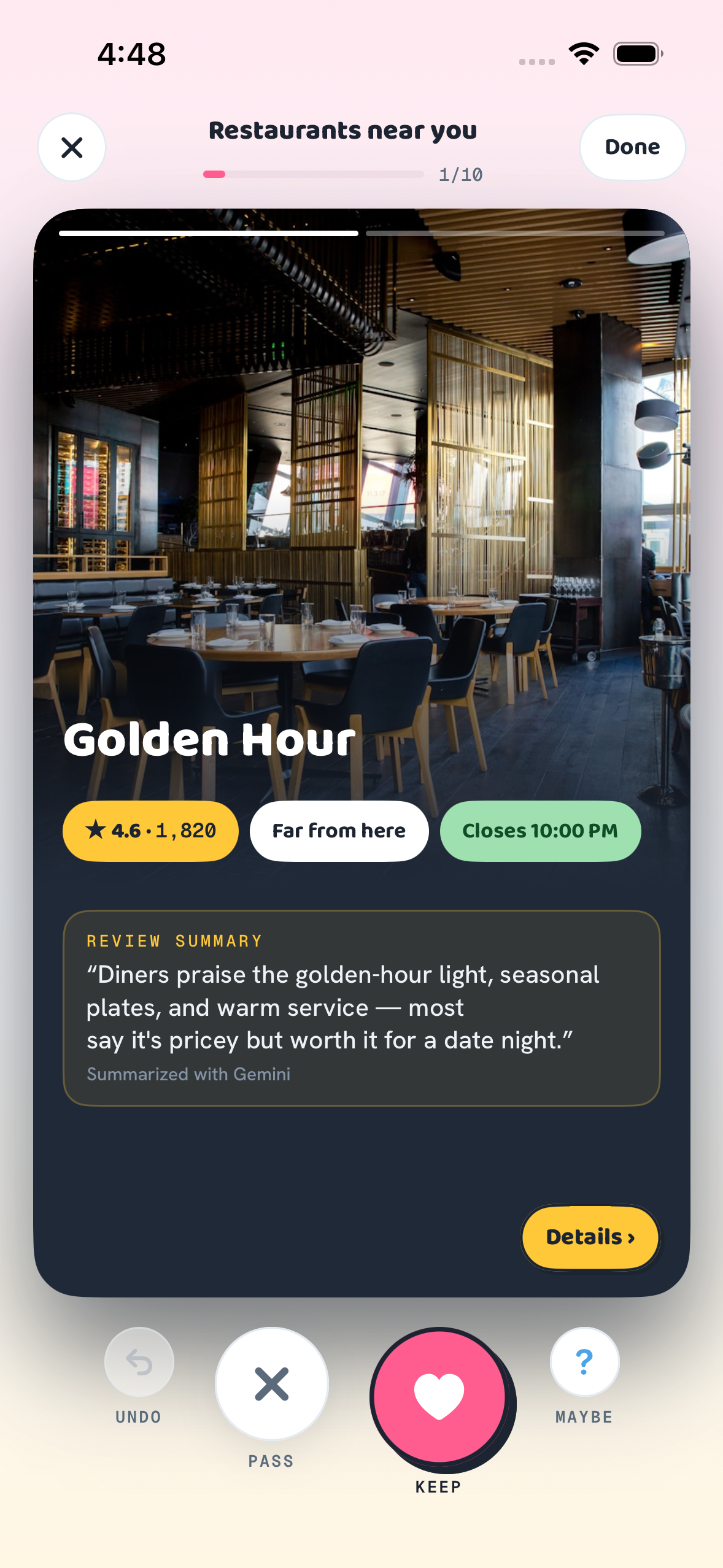
Each card shows the place evidence that is available. Swipe right to keep, left to pass, or switch to a scrolling Browse feed.
keep · pass · browsePick
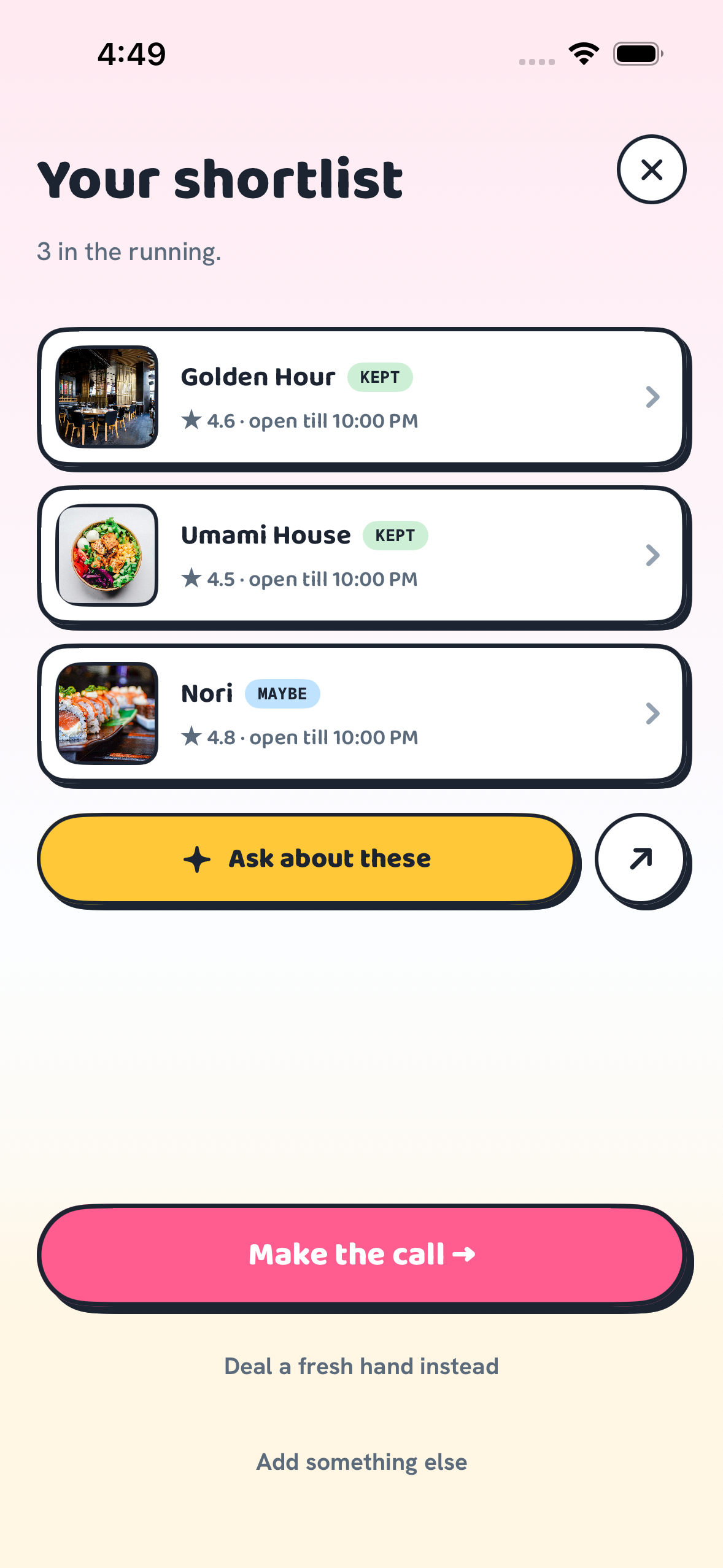
Keepers land in Your picks. Open details, ask about them, let Roost choose one with a backup, or deal again without resurfacing the places already passed.
keepers · pick for me · fresh handThe working parts behind the deck.
A ranked hand replaces the directory.
Roost still ranks the best fit first, but it lets the person make the last call without dropping them into a wall of results.
up to ten · one card at a timeEach card shows where its facts came from.
Ratings, review counts, open status, price, and address appear only when the active place source supplies them. Missing evidence stays absent.
rating · hours · price · addressThe next hand remembers the last one.
Roost keeps seen places out of a fresh hand and uses the local library to shape later ranking. Mother Hen chat sends the library details a question calls for, and opt-in Flock sharing publishes a place's score and tip chips.
seen · passed · saved · visitedAccessibility runs through the main path.
The iPhone portrait flow supports VoiceOver, Larger Text, and Reduce Motion, including the welcome, search, brief, details, library, visit, and settings screens.
VoiceOver · Larger Text · Reduce MotionSolo use needs no account. Roost+ adds the rest.
Only planning with friends asks for Sign in with Apple. The free tier gets ten web-checked answers and ten Mother Hen chats a month. Roost+ raises that to 200 and 300, and adds On My Way and iCloud backup and sync.
monthly or yearly · 1-week trialOne deck for the whole group.
Start a plan, share the link, and everyone swipes and votes on the same deck. Roost merges the board so the group lands on one place.
plan with friends · shared linkThe product rules behind the deck.
- Rank the best match first, then show one decision card at a time.
- Request foreground location only when the person starts a place search.
- State which place and imagery services the current search uses.
- Leave unavailable details absent instead of inventing them.
- Keep the library on the device unless the person turns on backup, shares scores with the Flock, or asks Mother Hen something that needs it.
- Ask for an account only to plan with friends, and never use background location.
- Reset Roost removes the local profile, current session, saved library, and visit photos.
The TestFlight build, the live place path, cloud answers, and the public support pages.
The TestFlight build, with a free-text ask, drive-time controls, category lanes, a ranked swipe deck, and a private list of picks.
TestFlight · not yet on the App StoreA production configuration that combines live place facts with local ranking, local brief text, and explicit service disclosures.
Google Places · Apple Maps · local memoryAsk Roost and Mother Hen run through a protected gateway to an OpenAI model via OpenRouter, with Exa for web research. Cloud AI is on by default and can be turned off in Settings.
gateway · OpenRouter · ExaPublic support and privacy pages, plus the screenshot and metadata package for App Store Connect.
public /support and /privacy