 TempDownload
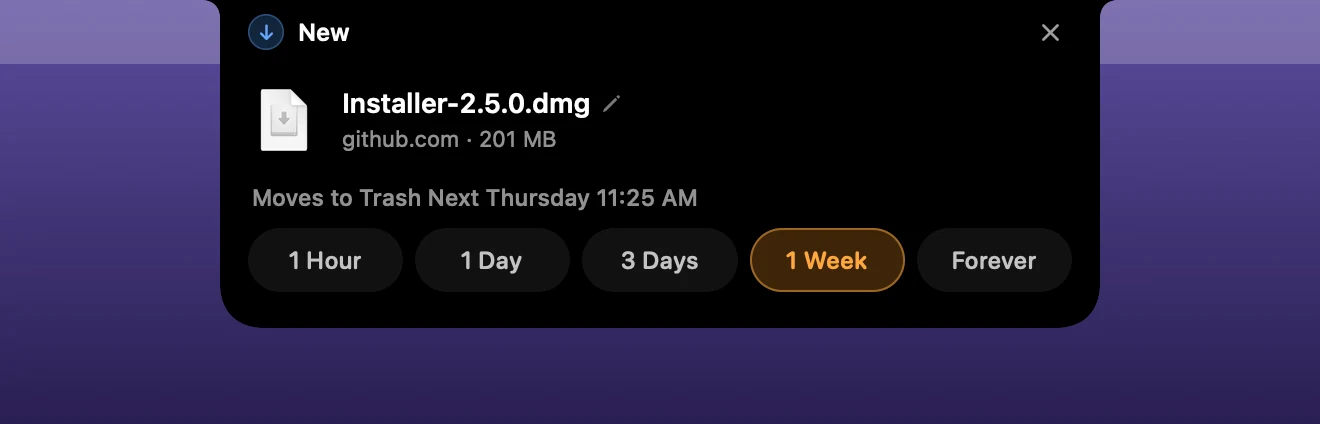
A Mac app that asks how long to keep each new download. Pick an hour, a day, three days, a week, or forever from a prompt under the notch, and the file goes to the Trash when its time is up. TempDownload runs on my Mac and hasn't been released.
- 5 choices
- 1 hour to forever, 1 week by default
- On the file
- timers live in extended attributes
- 141
- XCTest cases
- Unreleased
- private · macOS 14+
A Mac app that puts a timer on every download and moves expired files to the Trash.
A timer for every download, chosen as it arrives.
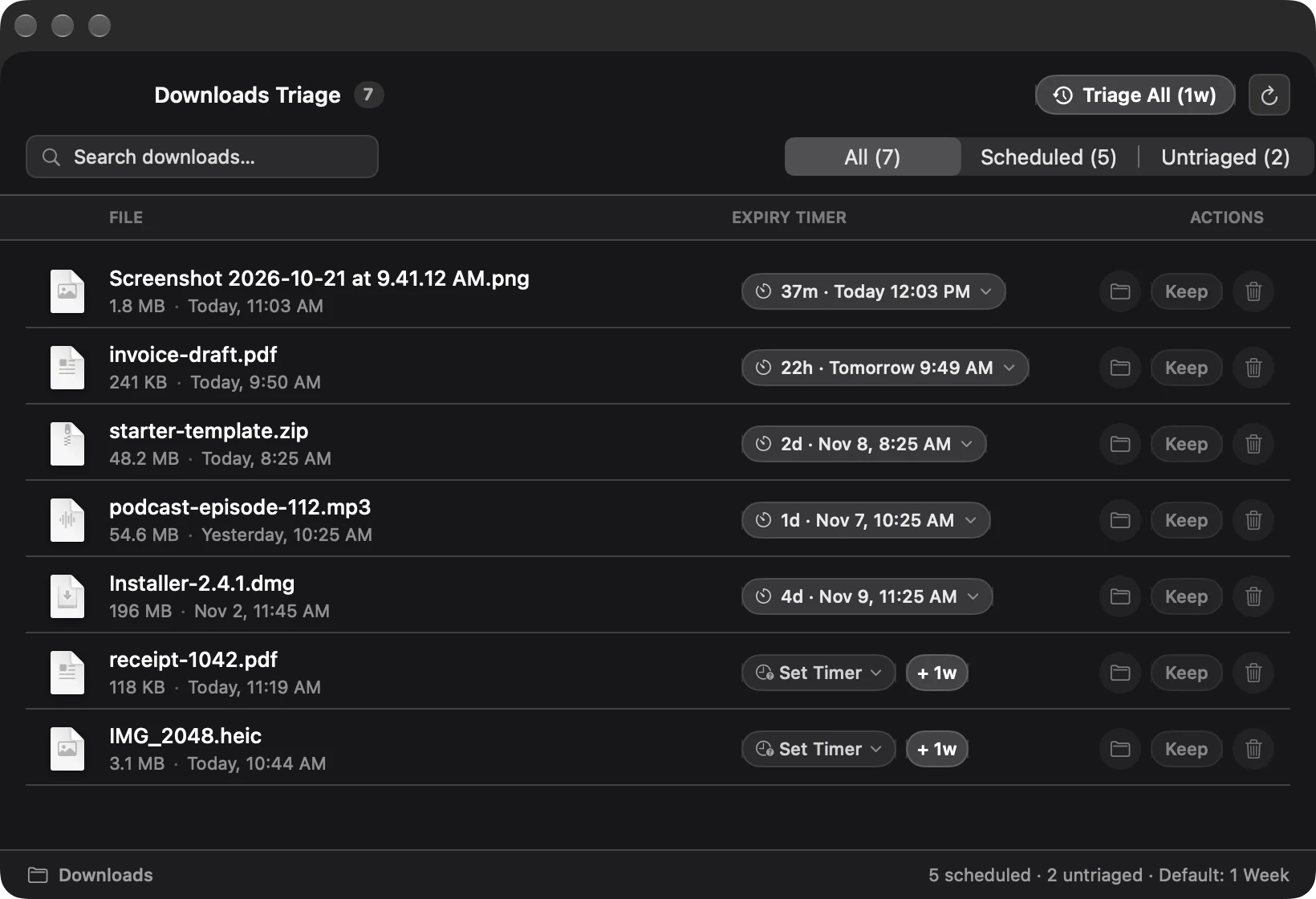
A prompt drops from the notch with five choices. The triage window lists every download with its time left, and anything past its time goes to the Trash.
Arrive
The watcher sees the new download and reads where it came from. File types on the ignore list are skipped.
a new file in DownloadsChoose
The prompt offers five choices with 1 Week selected, and says when the file will go, like "Moves to Trash Next Thursday 11:24 AM".
← → · Return · KWait
The timer is written onto the file, so renames, moves inside Downloads, sleep, and relaunches don't lose it.
extended attributesTrash
A short countdown shows under the notch, the file moves to the Trash, and a confirmation follows.
countdown · confirmationWhat's in the app.
Every download, with its time left.
Search by name, filter to scheduled or untriaged files, change a timer, keep a file, reveal it in Finder, or trash it now. Triage All gives every untriaged file the default timer, and Space opens Quick Look.
search · filters · Quick LookThe list lives under the notch.
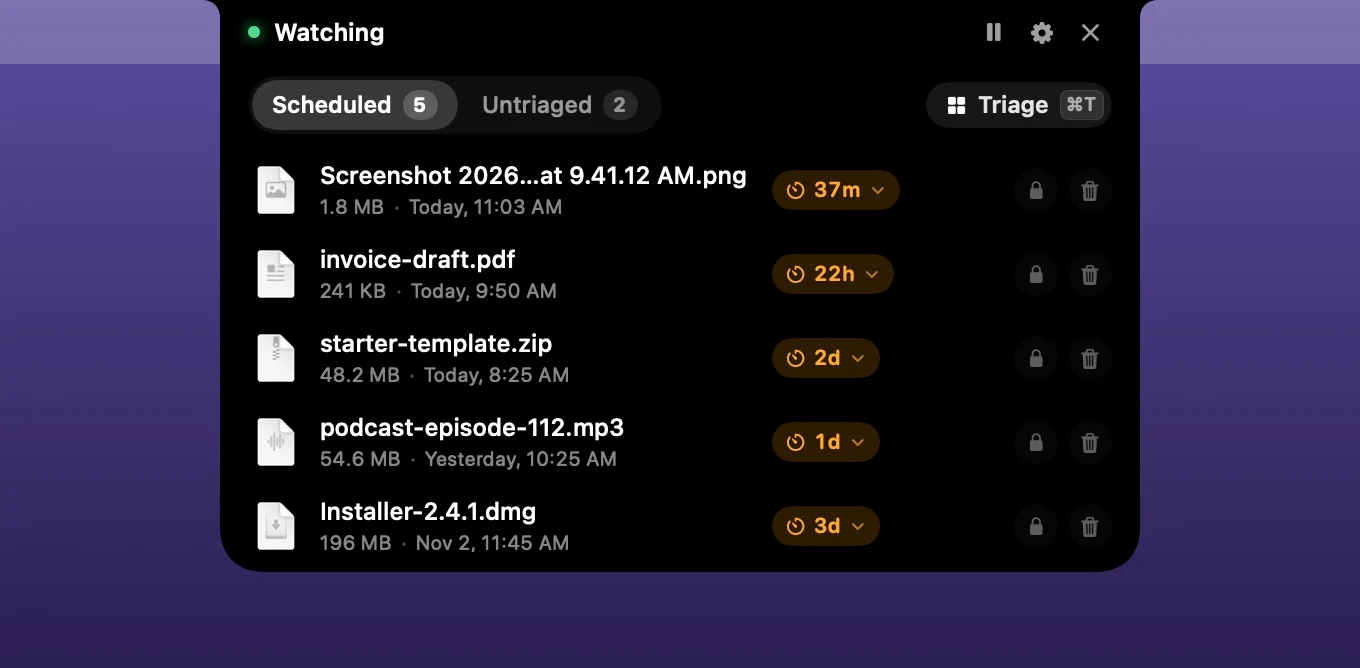
The menu bar opens a list of scheduled and untriaged downloads with their time left, plus pause, Settings, and the triage window.
Scheduled · Untriaged · ⌘TUnzipped archives clean up after themselves.
With archive cleanup on, which is the default, the archive goes to the Trash only after its extracted files are checked against its contents. If the archive had a timer, what came out takes it over; if not, what came out gets its own prompt. Anything unclear leaves the archive and its timer where they are.
checked extractionForever means forever.
Keeping a file removes its timer, and TempDownload won't ask about it again. Scheduled files can also carry Finder's Temporary tag, so they stand out in any Finder window.
K · Esc · KeepPause without losing a timer.
Pausing stops new prompts and cleanup but keeps every stored timer. After resuming, anything overdue is cleaned up.
menu bar · notch · SettingsThe rules the app holds to.
- Expired files go to the Trash, never straight to deletion.
- A timer lives on its file, in extended attributes.
- A file moved out of Downloads is no longer cleaned up.
- Keep removes the timer, and the file is never asked about again.
- If a file can't be moved to the Trash, its timer stays and the error says so.
- An archive goes to the Trash only after its extracted files match it.
The app, the notch island, the triage window, and the tests. Private and unreleased.
The app, packaged and signed by a build script and installed locally. It lives in the menu bar and under the notch, and it hasn't been released.
local · ad-hoc signed · unreleasedThe prompt, list, countdown, confirmation, and error states, drawn as one black shape that grows out of the notch. On a screen without a notch, it sits at the top edge.
SwiftUI · NSPanelEvery tracked download with its time left, plus search, filters, Keep, Reveal in Finder, and Trash.
SwiftUI · Quick Look141 XCTest cases, including opt-in snapshot renders of every island state.
swift test